Community Platform for Creators: Build, Grow, Monetize (Guide)
Quick Summary
A community platform for creators is an online space where people connect, exchange knowledge, and participate around a shared interest or goal. It brings together four core elements—discussion, member profiles, events, and shared resources—so members can contribute, learn from one another, and build relationships rather than simply consume posts or videos.

community platform for creators
A community platform for creators brings conversations, resources, and member activities into one online space built around a shared interest or goal. The best choice depends on whether you want to connect an audience, sell memberships, host courses, or combine those experiences—and how much control and customization you need.
What is a community platform for creators?
An online community platform gives people a central place to connect, share resources, and participate around a common interest. It can combine forums, groups, events, and paid access, so the experience is more than a feed of posts.


A community platform for creators is an online space where people connect, share knowledge, and take part around a shared interest or goal. It brings discussion, member profiles, events, and shared resources together, so a community can grow beyond a collection of posts or videos.
How a creator community works
Discussion spaces give members a place to ask questions, share ideas, and help each other. Profiles show who is part of the community and what they know. Events create opportunities to meet live, while shared resources make useful information easier to find.
These features help turn an audience into an active community. A creator can shape the space around their expertise, and members can contribute—not just consume. Some creators also choose a branded platform to own more of their interactions instead of relying on social media algorithms, as outlined in this guide to community platforms for creators.
A mailing list sends updates from one creator to many subscribers. A content library hosts lessons for people to watch or read. A community adds ongoing, two-way participation: members can respond, ask, discuss, and learn together. The difference is interaction: a community gives members a role in what happens next.
Why learning gives members a reason to return
Learning activities can make participation more purposeful. Quizzes, challenges, workshops, and practice sessions give members a shared reason to return. They can try a new skill, compare progress, and get feedback from peers or the creator.
For example, a course creator could pair weekly lessons with group discussions and live practice events. This connects learning content to a continuing community experience. Online community platforms vary in how they support these activities, so creators should look beyond basic discussion features and compare options for creators.
The useful features are those that encourage regular participation: clear profiles, searchable discussions, event tools, and ways to share resources. A well-designed community platform for creators makes it easier to combine those features with learning and conversation.
A creator community is more than a place to host content: it gives members ways to connect, contribute, and keep learning.
A creator community is a group organized around shared expertise, interests, or goals; the platform is the software that supports its activity. In 2026, compare the complete member experience—not just a feature list—when reviewing the best online community platforms.
A platform is only useful when it makes it easier for people to take the next meaningful step: connect, contribute, practice, or return.
When does a creator community need more than discussion?
A creator community needs more than discussion when people need a clear path to practice a skill, find trustworthy information, or measure progress. Adding guided activities can help communities stay useful without replacing open conversation.

A community platform for creators can spark useful conversations, but discussion alone may not help members build skills or reach a goal. Structured learning adds a clear path, practice, and feedback while keeping peer conversation at the heart of the community.
Look for three signs that your community needs more support:
- Repeated questions suggest members cannot easily find reliable answers or revisit key lessons in the community.
- Uneven participation may mean members need guided activities, smaller groups, or clearer ways to contribute to the community.
- Unclear progress signals that community conversations are not showing whether members can apply what they learn.
Add learning without losing conversation
The right community platform for creators does not have to replace discussion. It can connect conversations to lessons, practice, and progress. For example, members might review a short lesson, try a task, then share their work for peer feedback. That gives each community interaction a purpose and gives members a reason to return.
Consider which features fit your members’ needs. Course features can organize learning into steps. Practice features can help members apply ideas. Feedback features can turn peer advice into useful coaching. Progress features can show what members have completed or improved. Search features help members find past answers. Event features support live workshops and critiques. Analytics features can reveal participation and learning patterns. Community features should make these activities easy to find and join.
Some online community platforms combine discussions with courses, events, and other tools. Mighty Networks, for example, describes using Spaces for courses, live events, and discussions in its overview of community platforms for creators. Choose features based on what your community needs to achieve, not just how many tools a platform offers.
If members only need connection, discussion may be enough. If they need practice, feedback, or measurable skill development, add a learning structure that supports the community rather than competing with it. A strong creator community pairs open conversation with clear ways for members to learn, practice, and see progress.
The best online community is not necessarily the platform with the most tools. In 2026, prioritize the features your audience will actually use, such as clear onboarding, useful search, flexible groups, or an easy way to host events. For niche communities, a focused experience can be more valuable than a large set of unused options.
What to look for in a community platform for creators
A good community platform for creators makes it straightforward to welcome people, encourage participation, and understand what is working. Compare community features, access controls, analytics, and data portability before choosing software.

A community can attract members but still struggle to keep them active. Conversations may fade, new members may feel lost, and course owners may not know which learning activities work. A community platform for creators should support more than posts and payments: it should help people connect, learn, and make progress.
The best choice combines useful interaction tools with clear learning and measurement features. Before choosing a platform, check how it welcomes new members, supports events and discussion, and handles moderation. Then assess whether you can add short learning activities and track results without relying on separate tools.
Engagement and learning features
Use this checklist to compare the features that shape the member experience:
- Member interaction: Look for discussion spaces, direct messaging, comments, polls, and live events. These features give members different ways to take part, including the rich messaging experiences offered by Community.
- Onboarding: Check whether you can guide newcomers through a welcome flow, community rules, and first steps. A clear start helps members find value sooner.
- Events and moderation: Look for event scheduling, reminders, reporting tools, and controls for managing inappropriate posts or behavior.
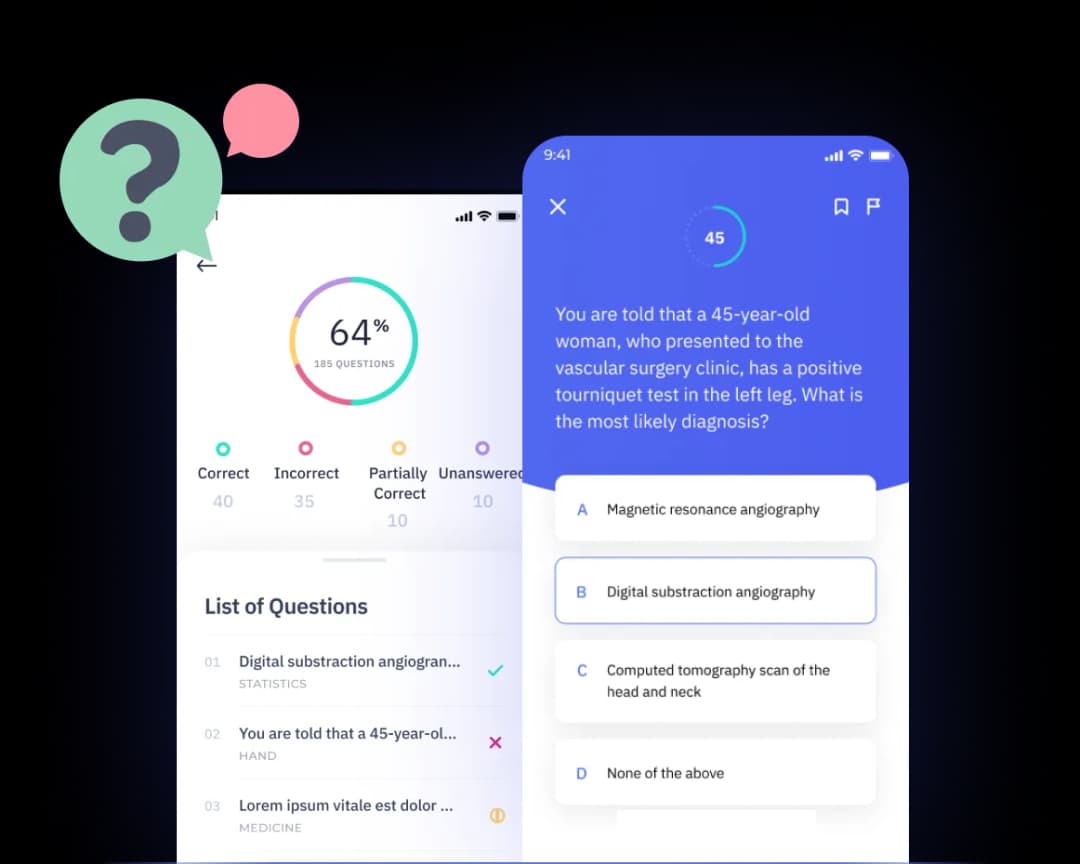
- Learning activities: Check whether you can add quizzes, short lessons, and practice scenarios alongside discussions. Active practice can help members use what they learn, not just read it. Some platforms focus on community and courses; others offer broader learning tools. For example, Shiken’s learning features include interactive learning formats.
- Flexible delivery: Consider whether learning and event content works well on mobile and fits into members’ routines.
Many online community platforms combine posts, courses, and live events. Mighty Networks, for example, describes discussion forums, livestreaming, polls, and live and recorded courses as built-in options. It also says creators can sell memberships and bundles in 135 currencies. Treat that as one example; compare the features against your own needs.
Measurement, access, and growth
A strong community platform for creators should make it easier to understand what is working. Check whether its analytics show participation, course progress, quiz results, and event attendance. Useful reports help you spot quiet areas and improve content based on member behavior.
Also review accessibility, integrations, and data control. Confirm that the platform is easy to use on mobile, supports accessibility needs, and connects with your email, payment, or learning tools. If you may change systems later, check whether you can export member and learning data in a usable format.
Choose a platform that helps members connect, practice, and learn—and gives you evidence of their progress.
Consider whether an online community platform lets you customize branding, organize spaces, and define access without requiring technical work. Compare tools such as BuddyBoss, Bettermode, FreshLearn, Podia, Kajabi, Thinkific, and Skool against the same requirements. Features and pricing can change, so verify current details directly with each provider.
Useful engagement tools help you engage people in ways that suit your format: a creator may need forums and groups, while a cohort-based program may need live sessions and structured practice. Research from your own pilot is often more useful than a generic engagement benchmark. Track a baseline, then review activity after four weeks.
Community-first platforms vs. learning enablement platforms
Community-first platforms organize interaction, while learning enablement platforms organize instruction and practice. The best fit depends on whether your priority is connection, measurable skill-building, or both.

A community-first platform helps members connect; a learning enablement platform helps them build and apply skills. A community platform for creators may offer both, but the depth of each feature set varies.
| Approach | Main features | Best for | Watch-outs |
|---|---|---|---|
| Community-first | Discussions, member profiles, groups, live events, and basic courses | Creators whose priority is connection, peer support, and ongoing conversation | Learning features may not include detailed assessments, coaching, or skill tracking |
| Learning enablement | Courses, quizzes, assessments, coaching, and progress analytics | Creators who need structured learning and a way to measure progress | Community features may be lighter, so members might need another space to connect |
| Combined setup | A community platform paired with a dedicated learning tool | Creators who want strong member interaction and deeper learning features | Members may move between tools, so clear links and a simple experience matter |
| Bottom Line | Match features to your main goal: connection, learning, or both | Choose one platform if it meets your needs; combine tools when it does not | Avoid paying for features your members will not use |
Choose based on the member experience

A dedicated community tool may be enough when members mainly want discussion, events, networking, and shared resources. Many online community platforms focus on helping creators bring those interactions together. Mighty Networks, for example, combines branded community spaces with courses, events, and member interaction (Source: Top Social Learning Platforms for Online Courses and Communities).
A community platform for creators can also support paid memberships or learning programs. Circle, for instance, is described as a community-first platform for memberships and learning in one branded space (Source: Best Online Course and Community Platforms in 2026). Compare the learning features closely: a video library is different from guided practice, assessments, and coaching. You can also review other online community platform comparisons.
Add learning depth without replacing your community
If your members need structured lessons, feedback, or measurable progress, a complementary learning platform may help. Keep your existing community for conversation and events, then use a learning tool for courses, quizzes, roleplays, and coaching. This lets each platform handle the features it does best.
Shiken can support interactive learning alongside a creator’s existing community setup. Create courses and quizzes, offer AI Roleplays & Coaching, and use learning analytics to understand progress. Share learning through links or supported channels, while members continue connecting in the community they already know.
Choose a community platform for connection, a learning platform for skill-building, and combine them when members need both.
A practical comparison should include standalone products and combinations. BuddyBoss can be relevant to WordPress-based sites; Mighty Networks, Circle, Bettermode, and Discord represent different community approaches. Podia, Kajabi, FreshLearn, and Thinkific may suit creators who also want to sell courses or digital products. Evaluate each platform’s current features, integrations, and terms rather than assuming every product serves the same use case.
Facebook Groups and Reddit can help creators test interest or host social media communities, but the experience, access, moderation, and customization options differ from dedicated software. Patreon can support paid memberships, while Discord offers chat-centered spaces. Ask whether your audience wants an owned destination, a familiar social space, or a mix—and whether your hosting and moderation plan can support it.
Before moving a group, explain what will improve for the audience. A clear reason to join matters more than adding another platform.
How a community platform for creators can support learning
A community platform for creators can support learning by connecting lessons to practice, peer participation, and ways to measure progress. Creators can build a simple learning loop: explain an idea, invite people to try it, and help them reflect on the result.

What can creators teach inside a community?
A community platform for creators can turn expertise into short lessons, practice, and feedback—not just posts. For example, a fitness creator could share a five-question recovery quiz, then ask members to try one technique and report back. This gives the community a clear learning goal and members a reason to return.
The best community learning features make it easier to move from an idea to an activity. Shiken uses AI-powered content creation to draft quizzes and bite-sized learning activities from existing material. Creators can then review and tailor each activity to their community, rather than starting from a blank page. Shiken says its AI tools can reduce content production time by up to 70%.
Why add practice to community learning?
Reading advice is different from using it. AI Roleplays & Coaching lets members practise real conversations and skills in a low-pressure setting. A business coach, for instance, could set up a sales discovery call. Members practise asking questions, get feedback, and repeat the scenario before speaking with a real prospect.
These features help turn community discussion into active learning. Members can apply an idea, learn from feedback, and share what worked with the community. That loop can make learning more useful than a course that members watch once and forget.
How can a creator turn meetings into lessons?
A Meeting Recorder can capture useful insights from live sessions, workshops, or coaching calls. A creator might record a 30-minute community Q&A, identify three recurring questions, and turn them into a short recap, a quiz, and a follow-up activity. With Shiken’s Meeting Recorder, creators can turn conversations into resources members can revisit.
When choosing between online community platforms, consider whether their features support learning after an event ends. For example, a community using Mighty Networks could host discussion and live sessions, while a connected learning tool could support quizzes, roleplay, and follow-up practice. The right setup depends on how members learn best.
A strong community platform for creators makes each lesson actionable: members learn an idea, practise it, and use it in their community. That’s how a community can grow both connection and capability.
A practical checklist for choosing and launching your setup
A practical launch starts with a clear audience, a small set of goals, and a test of the full member journey. Choose a platform that fits your current needs and can support realistic growth without adding unnecessary complexity.

A community platform for creators is a tool that brings members together to learn, share, and stay engaged. Choose one by testing how well it supports your goals—not by counting features alone.
1. Set your priorities
Write down who the community is for and what members should be able to do or learn. Then list the must-have features, such as discussion spaces, courses, events, member messaging, or payment tools. Set a monthly budget, including transaction fees and any add-ons.
Compare online community platforms against that list. For example, Mighty Networks offers unlimited members and spaces on paid plans, but setup can take longer. The right choice depends on your needs, budget, and comfort with setup. (Source: Best Community Building Platforms for Creators in 2026)
2. Test the full member journey
Before you commit, create a trial community and follow the experience as a new member. Check whether onboarding explains what to do next. Then test finding a discussion, completing a lesson or practice activity, and receiving feedback.
Look for features that make each step simple on mobile and desktop. Can members find useful content without asking for help? Can they take part in the community without getting lost in notifications? If learning matters, test quizzes, practice, and feedback—not just the discussion features.
3. Launch small and improve
Invite a small group first. Ask what feels clear, useful, or difficult, then fix the biggest friction points before opening wider. A focused launch can help you build community habits before adding more spaces and features.
Choose a few measures, such as weekly active members, lesson completion, and replies to discussions. Review them after a set period. If people join but do not participate, improve onboarding or prompt a simple first activity. If learning is the goal, check whether members are completing practice and using feedback.
Keep the tool choice practical: Circle’s plans start at $89 per month, while the right fit still depends on your budget and priorities. (Source: 14 Best Community Platforms Compared (2026 Guide))
Choose a platform that makes the member journey easy, then use real participation and learning results to refine it.
How should creators compare free social spaces with paid software?
Free spaces can be useful for validating an idea, but dedicated software may offer more control over branding, access, payments, data, and hosting. In 2026, compare the total monthly cost with the time you spend managing multiple tools, not just the subscription price.
Facebook Groups, Reddit, and Discord can be familiar places to start; however, their formats and controls differ. Paid membership communities may need a consistent way to manage billing, onboarding, and member-only resources. Before you build, test how people join, find content, and return on a phone.
What is a simple way to evaluate CustomerHub?
CustomerHub is one product name to include in a platform evaluation; verify its current capabilities directly rather than assuming it matches another provider. Use the same comparison questions for every option, including CustomerHub, so the eventual choice reflects your requirements, budget, and member experience.
Use this checklist as an evaluation worksheet. Each row is a question to verify with the vendor, product documentation, or a hands-on trial; it is not a claim that a feature is available.
| Check | Evaluation question |
|---|---|
| 1 | customerhub: Does onboarding explain the first step? |
| 2 | customerhub: Can you organize spaces clearly? |
| 3 | customerhub: Are access rules easy to manage? |
| 4 | customerhub: Can you customize brand colors? |
| 5 | customerhub: Does search find older resources? |
| 6 | customerhub: Can you moderate posts efficiently? |
| 7 | customerhub: Are member reports available? |
| 8 | customerhub: Can you schedule live events? |
| 9 | customerhub: Do event reminders reach participants? |
| 10 | customerhub: Can members interact on mobile? |
| 11 | customerhub: Are discussions easy to navigate? |
| 12 | customerhub: Can you create smaller groups? |
| 13 | customerhub: Are private spaces supported? |
| 14 | customerhub: Can you offer paid membership? |
| 15 | customerhub: Are payment fees clearly documented? |
| 16 | customerhub: Can you export member data? |
| 17 | customerhub: Does it connect with email tools? |
| 18 | customerhub: Can you link external courses? |
| 19 | customerhub: Are analytics understandable? |
| 20 | customerhub: Can you measure engagement? |
| 21 | customerhub: Are accessibility needs addressed? |
| 22 | customerhub: Can moderators share responsibilities? |
| 23 | customerhub: Can members update profiles? |
| 24 | customerhub: Are notifications configurable? |
| 25 | customerhub: Can you publish different content formats? |
| 26 | customerhub: Does the setup require technical hosting? |
| 27 | customerhub: Are integrations documented clearly? |
| 28 | customerhub: Can you test the member journey? |
| 29 | customerhub: Are support options available? |
| 30 | customerhub: Can you control who sees resources? |
| 31 | customerhub: Is pricing suitable for your budget? |
| 32 | customerhub: Can the experience grow with demand? |
| 33 | customerhub: Are terms and data policies clear? |
| 34 | customerhub: Can you archive inactive spaces? |
| 35 | customerhub: Does the product fit your goals? |
Frequently asked questions
A creator platform should fit the way your audience wants to connect, learn, and pay for value. These answers address common questions about platform choice, monetization, and learning features.

What is the difference between a creator community and a learning platform?
A creator community helps members connect through discussions, events, and shared interests. A learning platform organizes instruction, practice, and feedback so members can build specific skills.
Some online community platforms include courses, but their learning features may be limited. A community platform for creators can be a good fit when connection is the main goal. When members need guided lessons, quizzes, or coaching, a dedicated learning tool can add structure without replacing the community.
Can a community platform include quizzes and interactive training?
Yes, some community platforms include quizzes, courses, and other interactive training features. The depth of those features varies, so check whether creators can track progress, offer feedback, and update learning content easily.
A quiz can check recall, while roleplay or scenario practice helps members apply ideas. These features support more active learning than discussion alone. Compare the learning tools in platforms such as Mighty Networks, and consider whether they match your community’s needs.
Do creators need a separate learning platform for coaching and practice?
Creators do not always need a separate learning platform, but it can help when coaching and practice are central to the member experience. A community platform may handle conversations and events well, yet lack structured feedback or repeatable practice.
Shiken combines courses, quizzes, AI roleplays, and coaching in one learning platform. Creators can use it alongside their community rather than moving every discussion. Explore Shiken’s learning features to see how structured learning can complement a community.
How can creators measure whether members are learning?
Creators can measure learning by checking what members know, how they perform in practice, and whether they improve over time. Course completion alone shows activity, but not necessarily understanding or skill.
Use short quizzes before and after lessons, practice scenarios, and member feedback. Look for patterns in scores and participation, then update lessons where members struggle. Learning analytics can reveal progress more clearly than community likes or comments alone. Choose features that make results easy to understand and act on.
Can Shiken work alongside an existing community platform?
Yes, Shiken can support learning alongside an existing community platform. Creators can keep their established community for discussion, events, and member connection, while using Shiken for courses, quizzes, practice, and coaching.
This setup lets creators add structured learning without asking members to move their conversations. Share learning links in community posts or member resources, and check how each tool handles access and progress tracking. The best arrangement connects the community experience with learning features, while keeping each platform focused on what it does well.
What should creators consider when choosing tools for a growing community?
Choose tools based on your members’ needs, your learning goals, and how much work you can manage. Compare features for discussion, courses, events, payments, analytics, and member data export. Check whether the platform can support more members without adding unnecessary complexity.
Consider how tools work together, too. Compare options such as Mighty Networks, and test the member experience before committing. A community platform for creators should make it easy to connect, learn, and grow as your community expands. Choose the simplest setup that supports both member connection and measurable learning.
How can creators monetize an online community?
Creators can monetize through paid memberships, tiered access, courses, coaching, events, or digital products. Choose a model that fits the value you provide and makes the cost clear to your audience; monetization works best when people understand what they receive and how often it is delivered.
Membership communities may use monthly or annual plans, while other creators sell one-time workshops or bundles. Patreon, Podia, Kajabi, FreshLearn, Thinkific, Mighty Networks, and Skool are examples to investigate for different business models. Compare fees, payment options, customization, and what members can access before you build.
Which platform is best for a new creator community?
The best community depends on your audience, content format, budget, and desired level of customization. Compare the best online community platforms by testing a realistic member journey, not by relying only on feature lists or popularity.
A small creator may start with Facebook Groups or Discord to test demand, then move to dedicated software when they need more control. Others may choose BuddyBoss, Bettermode, or a course-centered platform such as FreshLearn. Check hosting, integrations, moderation, and data export so your choice supports future growth.
Key Takeaways
- A community platform for creators brings conversation, resources, and participation into one organized space.
- Choose between community-first, learning-focused, or combined software based on your members’ goals.
- Look for useful onboarding, search, moderation, analytics, customization, and data portability.
- Start with a small group, test the member experience, and use participation data to improve it.
- Memberships, courses, events, coaching, and digital products are possible monetization models.
- Verify product features and pricing directly with providers because plans and capabilities can change.
- The best community is the one your audience can use consistently and that you can manage sustainably.