Microlearning App Guide: Learn More in Less Time
Quick Summary
A microlearning app is a digital learning tool that delivers short, focused activities—such as quizzes, flashcards, videos, or scenarios—to build skills in manageable steps. Lessons often take just a few minutes, with some formats lasting three to ten minutes. For teams, these apps can organize practice into learning paths and reinforce knowledge with quick checks.

microlearning app
A microlearning app delivers short, focused lessons, quizzes, and practice activities so you can build knowledge in small steps. For teams, the right platform makes it easier to create training, reach learners where they work, and measure progress over time.
What Is a Microlearning App?
A microlearning app is a digital learning tool that delivers short lessons and activities to help people build knowledge in manageable steps.


A microlearning app is a digital tool that delivers short, focused learning activities to help people build skills in small steps.
Instead of asking someone to complete a long course at once, it breaks training into manageable lessons. Each activity covers one idea or skill, often in a few minutes. Some sources describe typical microlearning sessions as lasting three to ten minutes. (Source: Free Microlearning Apps: Learn Smarter in Minutes a Day)
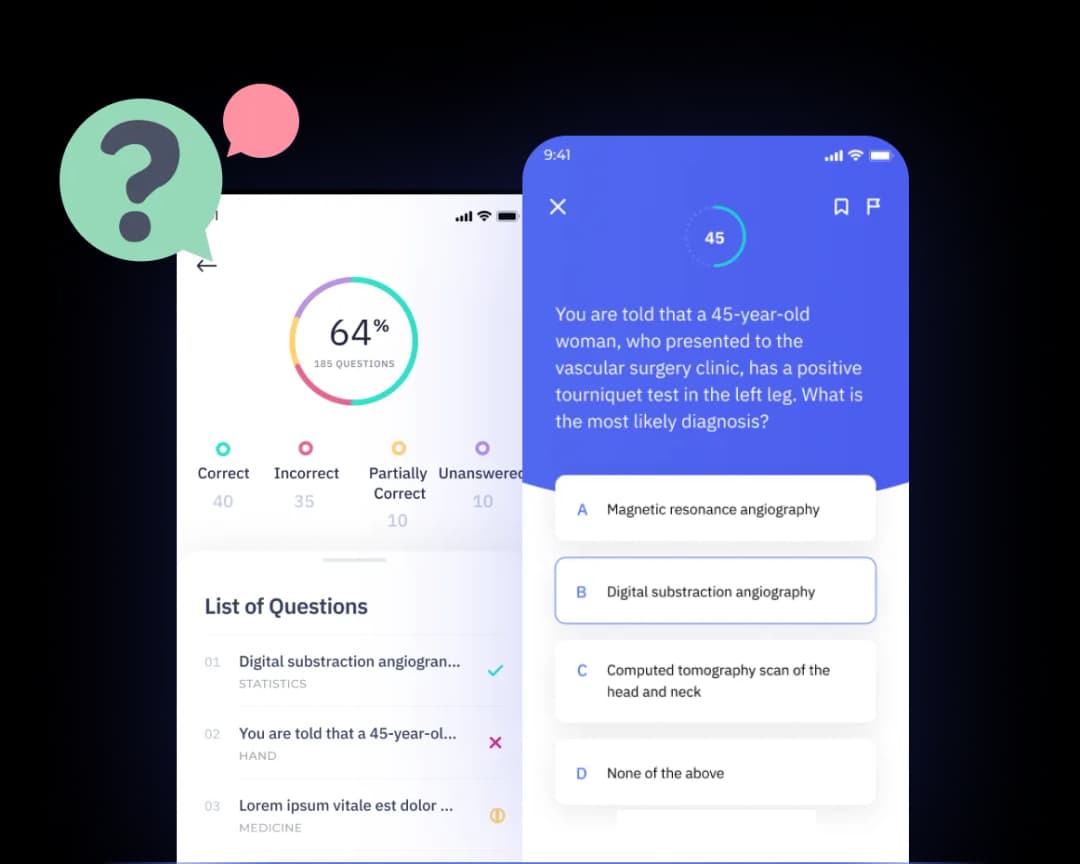
A well-designed app combines bite-sized lessons with ways to practise and check understanding. Learners might watch a short video, answer a quiz, review flashcards, or try an interactive scenario. Quick knowledge checks show what someone remembers and where they may need more practice.
That makes it different from a library of videos or documents. A library stores material for people to browse, but may not guide them through a learning goal. A learning app can organise content into a path, prompt learners to return, and use practice activities to reinforce key points.
Common formats include:
- Quizzes that test recall and give immediate feedback
- Short courses that group related lessons into a clear learning path
- Interactive scenarios that let people practise decisions or conversations
For teams, these activities can fit into the flow of work. Staff can learn a product update between tasks, practise a customer conversation, or revisit a process when they need it. Lessons can also be shared through familiar channels such as Teams or Slack. Explore Shiken’s learning features for examples of learning paths and spaced practice.
A microlearning app turns short lessons into guided practice, helping people learn and apply skills as part of their working day.
Bite-sized learning is training divided into focused activities that learners can complete in short sessions. In 2026, useful learning apps combine these activities with ways to assess understanding, revisit material, and apply knowledge on the job.
How Does a Microlearning App Work?
A microlearning app connects short learning activities with delivery, learner feedback, and progress data.
A microlearning app delivers focused learning in short activities, such as a quick quiz, lesson, or practice scenario. Administrators set up the training, while learners complete activities when they fit their day. A unit of around five minutes can work well for microlearning, though the right length depends on the topic. (Source: What Is Microlearning?)
From setup to learning
- Administrators choose a learning goal, then create or organize content into short lessons, quizzes, courses, or roleplay activities.
- The platform delivers each activity through its app or connected channels, such as Teams, Slack, SMS, or WhatsApp.
- Learners open activities when convenient and continue at their own pace, returning to a course without needing to finish everything at once.
- Scheduled reminders invite learners to return, helping teams make regular practice part of the workday rather than a one-time event.
- Quizzes and other assessments check understanding, giving learners a chance to apply ideas and see where they need more practice.
- Progress data shows who completed activities, how learners scored, and which topics may need more attention.
Using progress to improve training

Administrators can review completion and assessment results to spot patterns. For example, low scores on one topic may point to a knowledge gap across a team. They can then update the content, assign extra practice, or offer coaching. Learners can also use feedback to choose what to review next.
A dashboard is most useful when it helps people act. Completion figures show whether learning activities are being used, while assessment results offer clues about understanding. Repeated practice and timely feedback can help reinforce knowledge over time.
Shiken brings content creation, delivery, assessments, and analytics together. Teams can build learning paths with quizzes and interactive activities, then use results to guide follow-up training.
A microlearning app works best when short activities, regular practice, and progress data connect learning to clear next steps.
Spaced reinforcement is the planned return to important knowledge after an initial lesson. A platform can schedule short refreshers, quizzes, or flashcards so learners retrieve information again rather than relying on one exposure.
In 2026, teams should check whether mobile learning works in the places employees actually use it, including shared devices, work chat, and limited-connectivity settings. A five-minute module can be easier to fit between tasks than a long course, but the activity still needs a clear learning goal.
What to Look for in a Microlearning App
The best microlearning platforms make content creation, learner participation, and progress measurement straightforward.

A short lesson does not guarantee better learning. If content is hard to create, learners cannot practice, or managers cannot see progress, training may fail to change workplace performance. A polished interface alone is not enough: buyers need to assess content creation, learner engagement, and administrative oversight.
A microlearning app is a tool for creating and delivering short learning activities, then tracking how people use them. Look for authoring tools that let your team build or update content quickly, plus interactive formats such as quizzes, scenarios, and roleplays. Personalization matters too: check whether the platform can adapt learning paths to a person’s role, skill gaps, or progress, as in AI-powered personalized learning paths.
A practical evaluation checklist
- Creation and practice: Can subject experts create content without technical help? Can learners answer questions, make decisions, or practice conversations—not just watch videos?
- Personalization and reinforcement: Can the platform recommend next steps or revisit key ideas over time? Quizzes and spaced practice can help learners retrieve information again. (Source: Best Microlearning Apps in 2026: 10 Tested and Ranked)
- Analytics: Look beyond logins. Check for completion, quiz results, learner activity, and skill gaps so you can judge whether training is helping. (Source: Best platforms for microlearning in 2026: Top Tools Reviewed)
- Integrations and exports: Confirm compatibility with your LMS or LXP, and ask whether you can export learner and assessment data. This helps teams report results and avoid separate records.
- AI and accessibility: See whether AI can help create or personalize content, and check that learners can use the platform with assistive technology. Ask how AI-generated material is reviewed for accuracy.
- Administration and scale: Test how easy it is to assign learning, manage users, and update content. Make sure the platform can support more teams, languages, and content as your needs grow.
These checks apply to solo learners as well as L&D teams, but team buyers should test the full workflow: create a lesson, assign it, review results, and export data. Research comparing apps also considers content quality, retention features, and device availability, while corporate platform guidance highlights creation, engagement, and oversight. (Sources: Best Microlearning Apps 2026: Top 11 Compared & Ranked, The Ultimate Guide to a Micro Learning App for Corporate Training)
For a closer look at microlearning and learning paths, check whether delivery and practice can fit into the channels your team already uses. Choose the platform that makes useful content easy to create, practice, measure, and improve.
Reinforcement is the repeated retrieval and review of learning over time. When you compare platforms, ask whether reinforcement can be scheduled automatically, tailored to learner results, and linked to the original lesson.
Look at how easily a content creator can update modules, reuse formats, and publish changes. A five-minute lesson should be easy to revise when a policy or product changes. Teams may also need refreshers, flashcards, short quizzes, and reminders that reinforce learning without adding unnecessary training time.
Common Use Cases for Short, Focused Training
Short, focused training helps teams address specific learning needs, from onboarding and compliance to product knowledge and customer conversations.

TL;DR: A microlearning app helps teams build knowledge through brief lessons, practice, and timely refreshers. Use it for onboarding, product updates, compliance, sales coaching, and creator-led courses.
Build skills in the flow of work
A microlearning app can help new employees learn one task at a time. An onboarding path might pair a short welcome lesson with a product quiz, then explain a key process on the employee’s first day. Learners can return to focused material when they need a quick reminder.
Product knowledge works well in short modules because teams can update lessons as products change. A concise video or quiz can cover one feature, customer question, or troubleshooting step. Absorb notes that a focused eight-minute product video may be more useful than a longer course many learners do not finish. (Source: 13 Best Microlearning Platforms for 2026)
Compliance refreshers can revisit a single policy, such as data handling or workplace safety. Short quizzes help people check what they remember, while spaced follow-ups give them another chance to retrieve key facts. If frontline workers forget lessons, add practice and manager support—not just more content. Shiken’s compliance training can support focused refreshers.
Ongoing skills practice keeps learning connected to real tasks. For example, employees can complete a short scenario, get feedback, and try again later. Varying the format—such as quizzes, videos, and questions—can help keep learners engaged. (Source: What Is Microlearning?)
Practice conversations and package courses
Sales teams can use short call exercises to practice discovery questions, objection handling, or product explanations. AI roleplay lets a representative rehearse a customer conversation, receive coaching, and repeat the scenario before a real call. Shiken combines roleplays and learning activities to make that practice easier to deliver at scale.
Creators and course businesses can package interactive learning into short, focused lessons. A course might combine a brief explanation, a quiz, and a practical exercise, then release the next lesson by email or messaging app. This gives audiences a clear way to learn and apply one idea at a time.
The best short training connects a specific need with active practice, useful feedback, and a chance to revisit the skill.
A five-minute lesson can introduce one task, while a separate five-minute refresher later can reinforce it. If your training includes a complex process, divide it into modules and pair each one with a knowledge check. This lets teams target follow-up training where learners need it.
How to Create and Deliver Microlearning with Shiken
Shiken helps teams create, deliver, and measure short learning activities using AI-assisted authoring, quizzes, and roleplay.
What can you create?
A microlearning app should help teams turn useful knowledge into short, practical learning. Shiken brings AI-assisted authoring, delivery, practice, and measurement together in one platform.
Use AI to draft quizzes, courses, and focused activities from existing documents, slides, or calls. For example, a sales team can turn a product guide into a five-question quiz and a short objection-handling lesson. Shiken says its AI tools can reduce content production time by up to 70%. (Source: Shiken)
Why add voice practice?
Reading a lesson does not always prepare someone to use a skill in a real conversation. AI Roleplays & Coaching let learners practise realistic scenarios and receive feedback before they face them at work.
With Practice this call, a learner can rehearse a customer conversation using voice. A manager might set a three-minute practice call about handling a pricing objection, then review the learner’s feedback and try again. Teams can also create multi-participant scenarios, such as a meeting with several buyer roles.
This gives learners a chance to practise, make mistakes, and improve in a low-pressure setting. Shiken brings roleplay practice and coaching into the same workflow as learning content.
How do you deliver and measure training?
A microlearning app works best when learning fits into the workday and progress is visible. Shiken can deliver short courses and quizzes through channels such as Slack and Teams, with spaced repetition to help learners revisit key ideas. (Source: Microlearning | Shiken)
The connected workflow can include:
- Meeting Recorder: Capture real conversations and assess them against the same skill rubrics used in practice. Teams can turn call insights into follow-up learning. (Source: Meeting Recorder)
- Shiken Agents: Provide always-on knowledge support grounded in company information, including through Teams, Slack, or a website widget.
- Analytics: Track quiz results, practice activity, and skill gaps to help teams decide what to reinforce.
- LMS/LXP integration: Connect learning activity with existing systems and export relevant data.
For example, a team can record a sales call, identify a missed discovery question, create a short practice activity, and check results after learners complete it.
Shiken connects content, practice, delivery, and measurement so teams can turn everyday work into focused learning.
This table summarizes how Shiken supports creating, delivering, and measuring short learning activities in a microlearning app, from turning existing materials into practice content to using AI-assisted authoring that Shiken says can reduce production time by up to 70%.
| Microlearning app capability | What it supports | Example |
|---|---|---|
| AI-assisted authoring | Draft quizzes, courses, and activities | Use documents, slides, or calls |
| Short learning activities | Focused, practical learning | Five-question product quiz |
| Voice practice | Realistic scenario practice | Objection-handling lesson |
| Measurement | Track learning in the platform | Delivery and measurement together |
| Content production | Shiken-reported time reduction | Up to 70% with AI tools |
Content creation is the process of turning useful information into lessons, activities, and assessments learners can use. In 2026, teams can compare tools by testing whether they support multiple formats, easy updates, learner feedback, and useful reporting—not just automated drafting.
How to Choose the Right Learning App for Your Team
The right learning app matches your team’s learning goals, delivery needs, and reporting requirements.
A microlearning app is a tool for delivering short, focused lessons that help people build skills over time. The right choice depends on what your team needs to learn, how training fits into its workday, and how you will measure progress.
Match the tool to the job
Compare three broad options:
- Standalone authoring tools help you create lessons and quizzes. They can suit teams with an existing system for delivering and tracking learning.
- Learning platforms organize courses, assign training, and track completion. Check whether they support short lessons, mobile access, and useful reporting.
- All-in-one enablement solutions combine content creation, delivery, practice, coaching, and analytics. These can reduce the need to move between separate tools.
Start by naming your biggest bottleneck. Is it creating content, reaching frontline employees, helping people practise a skill, or seeing whether training improves performance? For example, a field team may need a real mobile app and offline access, not just a website resized for a phone (Source: 13 best microlearning platforms for 2026, and how to choose).
If your team needs short lessons, quizzes, and spaced practice in one place, compare options such as Shiken’s learning features. For broader needs, review whether the platform can also support roleplays, coaching, and analytics.
Test before you roll it out
Run a small pilot with a real training use case, such as onboarding, a product update, or a compliance refresher. Invite a few learners and managers to try the content on the devices and channels they use every day.
Ask learners how easy it was to start, complete, and return to a lesson. Check whether managers can assign training and review results without extra work. A short pilot can reveal usability problems before they affect a wider rollout.
Set success measures before the pilot begins. Track participation and completion, then check skill progression through quizzes, practice, or assessments. Where possible, connect those results to outcomes such as fewer errors, faster onboarding, or better customer conversations.
Choose the app that makes learning easy to access, skills easy to practise, and progress easy to measure.
Which microlearning platforms should you compare?
The best microlearning platforms depend on who will use them and what your learning program needs to accomplish. For an individual, the best learning app may prioritize engaging lessons and simple progress tracking; for an employer, an LMS, integrations, reporting, and content creation may matter more.
A microlearning platform can focus on mobile learning, short modules, quizzes, and reminders, while broader platforms may combine microlearning with course administration. Compare formats, authoring, reinforcement features, analytics, accessibility, and the quality of the knowledge learners receive. Ask vendors to show a real five-minute activity and explain how it becomes training for different roles.
The best microlearning platforms shortlist may include 7taps, Qstream, iSpring Learn, Duolingo, Edume, Axonify, TalentCards, Blinkist, Docebo, BookWidgets, iSpring LMS, LearnUpon, Brilliant, TED-Ed, iSpring, Tovuti, and Yoobic. These products serve different learning needs, so check whether each one fits your use case rather than assuming every product is a direct substitute.
For a more focused comparison, look at Nerdish and Nerdsip alongside the other learning apps you are considering. Nerdish may be worth assessing for an individual learning experience; compare Nerdish’s formats and subject coverage with your goals. Review Nerdish against your preferred lesson length, and check whether Nerdish fits the devices and learning habits of your audience.
Nerdsip can also be included in an initial comparison set. Check Nerdsip’s content formats against the learning goals you have defined, and assess whether Nerdsip offers the workflows your learners need. Compare Nerdsip’s delivery experience with your team’s usual channels, and verify Nerdsip’s reporting options before selecting a tool.
A structured evaluation helps avoid choosing a platform based only on a feature list. Test Nerdish with a sample learning goal, then compare Nerdish’s learner experience with other options. Ask whether Nerdish can support your intended formats and whether Nerdish makes progress easy to understand.
Use the same evaluation steps for Nerdsip: try a sample activity, review how Nerdsip presents the content, and compare Nerdsip’s available features with your requirements. If you shortlist Nerdsip, confirm whether Nerdsip supports the integrations, reporting, and formats your team expects.
A five-minute trial can expose gaps that a sales demonstration may not reveal. Test Nerdish on a real task and ask learners to describe what they retained. Use the same task with Nerdsip, then compare Nerdsip’s results with your criteria. In 2026, make the best learning decision by comparing actual learner workflows, not just product names.
| Evaluation question | What to check |
|---|---|
| Does the platform support your audience? | Device access, accessibility, and channels |
| Can you build useful learning? | Content creation, modules, and formats |
| Can you reinforce knowledge? | Reminders, quizzes, refreshers, and spaced review |
| Can you see results? | Assessments, reporting, and learning records |
A platform is only as useful as the learning behavior it supports: define the outcome first, then choose the tool that makes that behavior practical.
Short lessons are a format, not a learning strategy. Combine focused content with retrieval, feedback, and opportunities to apply knowledge.
Frequently Asked Questions
Microlearning answers depend on the audience, learning objective, and how learners will use the content.

What is a microlearning app used for?
A microlearning app delivers short learning activities that help people build knowledge or practice a skill in small steps. Teams use one for product updates, compliance refreshers, onboarding, and sales practice. Lessons might include a short video, quiz, scenario, or reminder sent by SMS or a work chat. Microlearning is learning divided into focused, manageable sessions. To support retention, teams can revisit key ideas with spaced quizzes instead of relying on a single lesson. The goal is not just to finish training, but to use new skills at work.
Can a microlearning app work alongside an existing LMS?
Yes, many microlearning apps can complement an existing LMS and share learning records or content. An LMS may remain the system of record for assigned courses, completion, and compliance reporting, while a separate app delivers quick practice and refreshers. Before choosing, check how the tools connect, what learner data transfers, and whether updates appear in both systems. Some teams can also deliver learning through internal portals or mobile apps, then sync records to an LMS when tracking is needed (Source: Microlearning Guide for Beginners).
What types of content can teams create in a microlearning app?
Teams can create quizzes, flashcards, short courses, videos, audio lessons, and scenario-based practice. Some platforms also support voice roleplays, coaching, and interactive slide lessons. Choose formats that match the skill: a quick quiz can check product knowledge, while a roleplay can help someone practice a customer conversation. Check that content works well on phones, where employees may complete learning between tasks. Also ask how quickly your team can edit a lesson and deliver the change to learners (Source: Absorb’s microlearning platform guide).
How can teams measure whether microlearning is improving skills?
Teams can measure progress by combining quiz results, repeat assessments, and evidence of skill use at work. Completion rates show whether people accessed training, but they do not prove that performance improved. Compare assessment results over time, and check whether learners remember key ideas a week or month later. For practical skills, use manager feedback, observed behavior, or scored practice scenarios. A useful question is whether employees are doing their jobs better, not only whether they finished a lesson (Source: The Ultimate Guide to a Micro Learning App for Corporate Training).
Can AI help create microlearning content?
Yes, AI can help teams draft learning content, create quiz questions, and adapt material for different roles. It can speed up production, but people should review every lesson for accuracy, tone, and relevance before sharing it. Teams can also use AI roleplays to give learners a safe space to practice conversations and receive feedback. With Shiken, teams can create interactive learning content and coaching activities, then use learner results to identify gaps. AI works best as a content assistant, with subject experts responsible for the final review.
How is a microlearning app different from a course platform?
A microlearning app focuses on short, frequent learning activities, while a course platform often organizes longer lessons into structured programs. The difference is mainly the learning experience, not a strict boundary: some platforms offer both. A course may introduce a topic in depth, while short quizzes or reminders help learners revisit it later. When comparing tools, consider whether you need quick practice, full learning paths, or both. Shiken combines courses, bite-sized learning, assessments, and coaching in one platform, so teams can connect learning with skill practice.
Choose a tool that helps people practice, remember, and apply skills—not just complete training.
Key Takeaways
- A microlearning app delivers short lessons, quizzes, and other focused activities.
- Strong microlearning platforms connect content with reinforcement, feedback, and progress measurement.
- Choose a platform based on your learners, training needs, integrations, and reporting requirements.
- Pilot a real learning activity before rolling it out widely, then measure both participation and learning outcomes.
- In 2026, prioritize practical learning experiences that fit your audience’s devices, work routines, and goals.