How to Create Training Slides With AI: A Step-by-Step Guide
Quick Summary
Transform your training presentations with AI! Learn how to create training slides with AI effectively and save time, engaging your audience like never before.

Why Use AI for Creating Training Slides?

AI technology is changing how we create training slides. By using AI tools, you can enhance your slide creation process and make it more effective.
One major advantage is that AI can reduce production time by up to 70%. This means you can focus on more important tasks while quickly generating professional-looking slides. AI handles repetitive tasks like layout and design. This saves time and effort, allowing trainers to dedicate resources to content development.
Another benefit is the enhanced engagement that AI offers through interactive elements. Tools like Canva and SlidesAI provide features that captivate learners. You can include quizzes, videos, and animations right in your slides. These engaging elements keep your audience interested and promote better retention of information. An engaged learner is a successful learner.
Personalized Learning Experiences
AI also allows for personalized learning experiences. Each learner has unique needs and preferences. AI tools can analyze data about these needs and adjust the content accordingly. Whether it's tailoring the complexity of information or suggesting relevant resources, AI makes learning more effective.
Also, platforms like Shiken.ai offer analytics that help identify where learners struggle. This means you can modify your slides to address specific skill gaps, enhancing training effectiveness.
By leveraging AI, you not only create training slides quickly but also make them more engaging and tailored to individual needs. Thanks to AI, training is about delivering the right information in the right format at the right time.
In summary, the benefits of using AI for creating training slides are clear. It saves time, boosts engagement, and allows personalization. As technology evolves, using AI in training slide creation will become essential.
How to Create Training Slides with AI: The Essentials
Creating effective training slides with AI starts with the right tools and features. Here are the essentials to guide you in your journey.
- Explore various AI-powered content creation tools. Platforms like Shiken.ai enable users to create presentations quickly and efficiently. They streamline the process, allowing you to focus on your teaching.
- Look for user-friendly interfaces. A good AI tool should offer a simple way to enter topics, generate slides, and edit content. This saves you time and helps maintain clarity in your message.
- Choose tools that offer customization options. Customization allows you to tailor your slides to fit your audience's needs. You can change visuals, layouts, and even fonts to match your training style or brand.
- Ensure integration capabilities with existing Learning Management Systems (LMS). A seamless link to your LMS helps manage your presentations and track learner progress. Research shows that up to 70% of AI-driven content tools can integrate well (Source: Shiken).
- Consider the support for multimedia and interactive content. Some platforms allow you to include videos, quizzes, and even audio clips. These elements keep your audience engaged and enhance learning.
- Look for real-time analytics features. This helps you assess the effectiveness of your training slides and identify skill gaps in your audience. Being able to measure performance is crucial for improvement.
- Check for support and tutorials. A responsive team behind your AI tool can enhance your experience. Access to tutorials, like those found on Monsha or Alayna AI, can also help you master slide creation (Source: How to Generate Presentation Slides using AI).
By understanding how to create training slides with AI and using the right tools, you can save time and enhance your training quality. Embrace the power of AI to enrich your training sessions and engage your learners effectively.
Step-By-Step Guide to AI-Enhanced Slide Creation

Creating effective training slides can be challenging. Many people struggle to define their learning objectives and identify what their audience needs. A clear understanding of these factors is essential. Without them, your presentation may miss the mark, leading to disengagement and a lack of effective learning.
To tackle this issue, start by defining your learning objectives. Think about what you want your audience to learn from your training. Are you introducing a new concept or skills? Understanding these goals allows you to tailor your slides effectively. Next, consider your audience. What is their background? What challenges do they face? Knowing their needs helps you create relevant and engaging content.
Once you have clarity on your objectives and audience, use AI tools for content generation. Platforms like Shiken.ai can create content drafts based on your specifications. Simply input your defined learning objectives, and the AI works to produce relevant content. This can reduce production time by up to 70%. Tools like Canva's AI Presentation Maker also allow users to generate slides quickly by entering a topic or concept. Both empower you to focus on refining your content rather than starting from scratch (Source: Canva).
Lastly, consider design tips to enhance your training slides. Use bullet points for clarity and visuals to complement your text. Stick to simple fonts and a consistent color scheme. Research shows that well-designed slides lead to better retention of information. Try to keep the number of words on each slide to a minimum to maintain audience attention. Aim for a clean layout that guides viewers through the key points without overwhelming them.
By clearly defining your objectives, leveraging AI for content creation, and focusing on effective design, you’ll learn how to create training slides with AI that engage and inform your audience effectively. Make the process easier and more dynamic, ensuring your training is impactful and memorable.
Best Practices for Interactive Training Content
TL;DR: Engaging training slides can be created by incorporating quizzes, role-plays, and voice features. Collecting analytics helps refine content for better learning experiences.
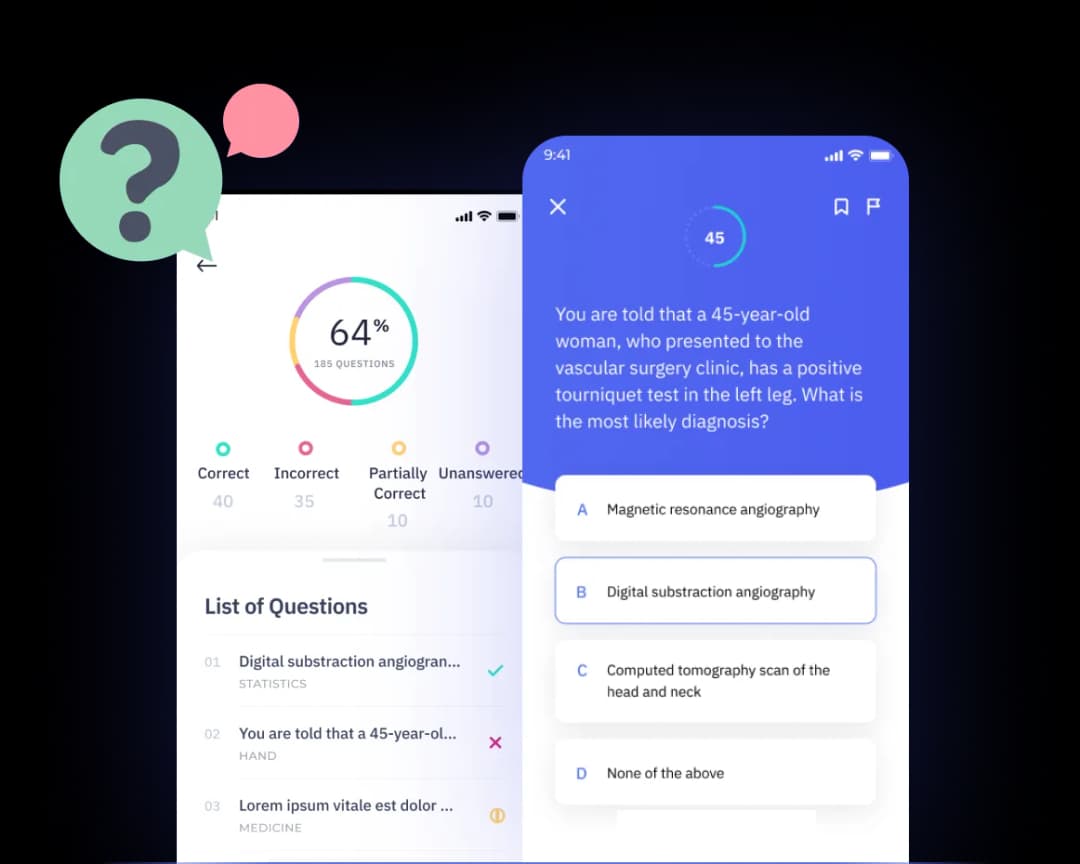
Creating interactive training slides involves making learning fun and engaging. One effective method is to incorporate quizzes and role-plays into your training sessions. Quizzes can assess understanding at various stages, giving immediate feedback to learners. Role-plays allow learners to practice real-life scenarios, enhancing their skills through experiential learning. For instance, using Shiken’s AI role-playing feature, trainers can simulate conversations relevant to their industry, which helps learners develop critical thinking and decision-making skills (“How to Create Successful Interactive Training Courses”).
Another vital component is utilizing voice-enabled features. Incorporating audio in your slides engages multiple senses, making the content more dynamic and memorable. Voiceovers can explain complex ideas, while interactive voice commands allow learners to ask questions and receive instant answers. This could transform a traditional slide deck into an engaging, self-paced learning module. AI-generated voice features can create a near-human experience, keeping learners attentive throughout the session.
To make your training content even better, gather analytics. Through performance tracking, you can see what content resonates most and where learners struggle. Shiken’s platform offers real-time analytics, providing insight into skill gaps and content effectiveness. By analyzing this data, you can refine your training slides, enhancing them for stronger engagement the next time.
Using these practices not only boosts interactivity in training content but can also lead to higher retention and satisfaction rates among learners. By combining quizzes, role-plays, voice features, and data-driven adjustments, you can master how to create training slides with AI that captivate and inform your audience.
Comparing AI Tools for Training Slide Development
When exploring how to create training slides with AI, it's vital to compare various tools available in the market. Each platform offers unique features, costs, and user experiences. Below is a quick overview of some popular AI tools for creating training slides.
Bottom Line: Each tool caters to different needs, making it essential to choose based on project specifics.
Key Differences Among AI Tools
Shiken stands out for its all-in-one platform that streamlines content creation and analytics. While tools like MagicSlides are excellent for fast drafts, they lack advanced features like real-time analytics or coaching capabilities. This could be a downside for corporate teams focused on performance.
On the other hand, Canva excels in design features, allowing users to create visually stunning slides effortlessly. However, its versatility comes at a price, making it less cost-effective for teams focused on large-scale content.
Microsoft PowerPoint is highly favored among users familiar with Office tools. Despite its robust features, some find the learning curve steep. This tool may not be ideal for users wanting quick, straightforward presentations.
In summary, selecting the right AI tool for slide development depends on specific needs. Consider factors like ease of use, cost, and additional capabilities when deciding. The best tool will streamline your process and enhance your training materials.
What to Consider When Personalizing Training Slides?
Personalizing training slides is key to effective learning. Customization makes the content more relevant to your audience. To do this well, consider a few important factors.
Understanding Learning Styles
People learn in different ways. Some prefer visual aids, like images and videos. Others might benefit more from hands-on activities or textual information. By identifying your audience's learning styles, you can tailor the slides to their preferences. This approach keeps them engaged and helps them understand the content better.
Adjusting Content with Real-Time Analytics
Real-time analytics can be a game changer in personalizing training slides. These insights show how well participants are grasping the material. If many are struggling with a particular topic, you can adjust your content quickly. This flexibility allows you to provide the most effective learning experience right when they need it.
Creating Modular Content
Creating modular content means designing slides that can be mixed and matched. This setup is useful for various settings, whether it’s a quick team meeting or a detailed training session. With AI tools, you can create building blocks of information that can be customized based on the audience and context.
Using AI technology, such as what Shiken offers, streamlines this process. It not only saves time but also enhances interaction. AI-driven features can help suggest relevant materials based on the learners' progress and needs.
By focusing on these factors, you can significantly enhance the relevance and effectiveness of your training slides. Engaging content tailored to the audience fosters a deeper understanding and drives better results.
Custom training slides lead to engaged learners and improved knowledge retention.
How Can You Measure the Effectiveness of AI-Designed Slides?
Measuring the effectiveness of training slides created with AI is essential for ensuring they deliver the desired learning outcomes. Here are some methods to evaluate their impact:
- Use analytics for skill-gap insights. Leveraging real-time analytics helps identify which skills learners need to improve. For example, if 30% of participants struggle with a particular topic, it indicates a need for further training.
- Implement feedback mechanisms for continuous improvement. Gathering feedback from users directly allows for real-time adjustments. Surveys after training sessions can gauge understanding and engagement. In fact, 72% of learners prefer to give feedback for better personalization of content (Source: "AI Lecture Slides for Teachers").
- Set clear KPIs for training success. Key Performance Indicators (KPIs) should be established during the planning phase. These can include completion rates, test scores, or time taken to complete training. Having specific goals helps measure if the AI-designed slides meet learning objectives.
Analyzing Audience Engagement
A vital aspect of measuring effectiveness is tracking audience engagement. Tools like Beautiful.ai can automate design decisions, making slides visually appealing. More importantly, they offer analytics to evaluate how users interact with the content (Source: "What tools can help improve slides using AI?").
Understanding audience engagement not only helps creators like you assess training slide effectiveness but also improves overall learning experiences. For example, if engagement rates are low, consider redesigning slides with more relevant content or interactive elements.
Taking these steps allows for ongoing refinement of the training material. As you learn how to create training slides with AI, continually measuring their effectiveness ensures they remain relevant and impactful.
Takeaway: Effective training slide evaluation enables continuous improvement, ensuring your content remains engaging and meets learning objectives.
Frequently Asked Questions
What types of content can AI generate for training slides?
AI can create various content, including text, images, and quizzes for training slides. Tools like Shiken.ai can generate interactive elements, such as role-playing scenarios and assessments, to make learning engaging. You can also produce supplemental materials like handouts and infographics to enhance your slides (Source: Key Insights). This versatility ensures you have diverse content options when designing your training.
How do I choose the best AI tool for my needs?
When selecting an AI tool, consider the following factors:
- Intended Use: Think about the type of training you’re providing.
- Features: Look for tools offering content creation, analytics, and LMS integration.
- User-Friendly Interface: Ensure the tool is easy to navigate.
- Support and Resources: Check if the platform has good customer support and learning resources.
Evaluate tools like Shiken in comparison to others for a well-rounded choice.
Can AI help with visual design elements for slides?
Yes, AI can assist in crafting visually appealing slides. Many tools provide templates, color palettes, and font recommendations based on best design practices. For example, Shiken.ai offers features for enhancing visuals, making your training slides not only informative but also eye-catching. These design aids ensure a professional look, saving you time while creating a polished final product.
Is it easy to integrate AI tools with existing LMS?
Integrating AI tools with your current Learning Management System (LMS) is often straightforward. Shiken.ai, for instance, is designed to seamlessly connect with various LMS platforms. This means you can use AI-generated training slides without disrupting your current workflow. Check the compatibility of the AI tool with your LMS to ensure smooth integration.
What are the costs associated with AI tools for training?
The costs of AI tools can vary widely. Some platforms offer free versions with limited features, while others may charge a subscription fee based on usage. Shiken.ai, like many others, has pricing tiers tailored to different needs. It’s essential to balance costs with the features offered to get the best value for your training needs.
How can I ensure my training slides are engaging?
To create engaging training slides, focus on interactivity and visuals. Use AI-driven prompts, quizzes, and scenarios that encourage learner participation. Incorporate stories or case studies to make the content relatable. Tools like Shiken.ai can also help keep your slides dynamic, ensuring your audience remains interested throughout the training.
How does Shiken compare with other AI platforms?
Shiken stands out for its all-in-one platform combining content creation, delivery, coaching, and analytics. Unlike other platforms, Shiken specializes in interactive learning, enabling personalized experiences through voice-powered role plays and real-time skill-gap insights. This unique approach helps streamline training processes and delivers measurable outcomes.
Using AI for training slide creation can transform how you deliver content. Explore the benefits and features to optimize your training today.