Boom Learning: A Comprehensive Guide for Educators
Quick Summary
Discover how Boom Learning transforms education with engaging Boom Cards. Enhance student interaction and retention—start your teaching journey today!

What is Boom Learning?

Boom Learning is a platform designed specifically for creating and assigning Boom Cards. These are cloud-based digital learning resources, including quizzes and interactive lessons. Teachers can use Boom Learning to enhance both in-person and remote education (What is Boom Learning?).
The importance of interactive learning cannot be overstated. Students thrive when they engage actively with their lessons. Boom Cards offer a hands-on approach to learning, allowing students to interact with content in a fun and engaging way. This method helps improve retention and understanding (Source: Boom Learning | LinkedIn).
Understanding Boom Cards
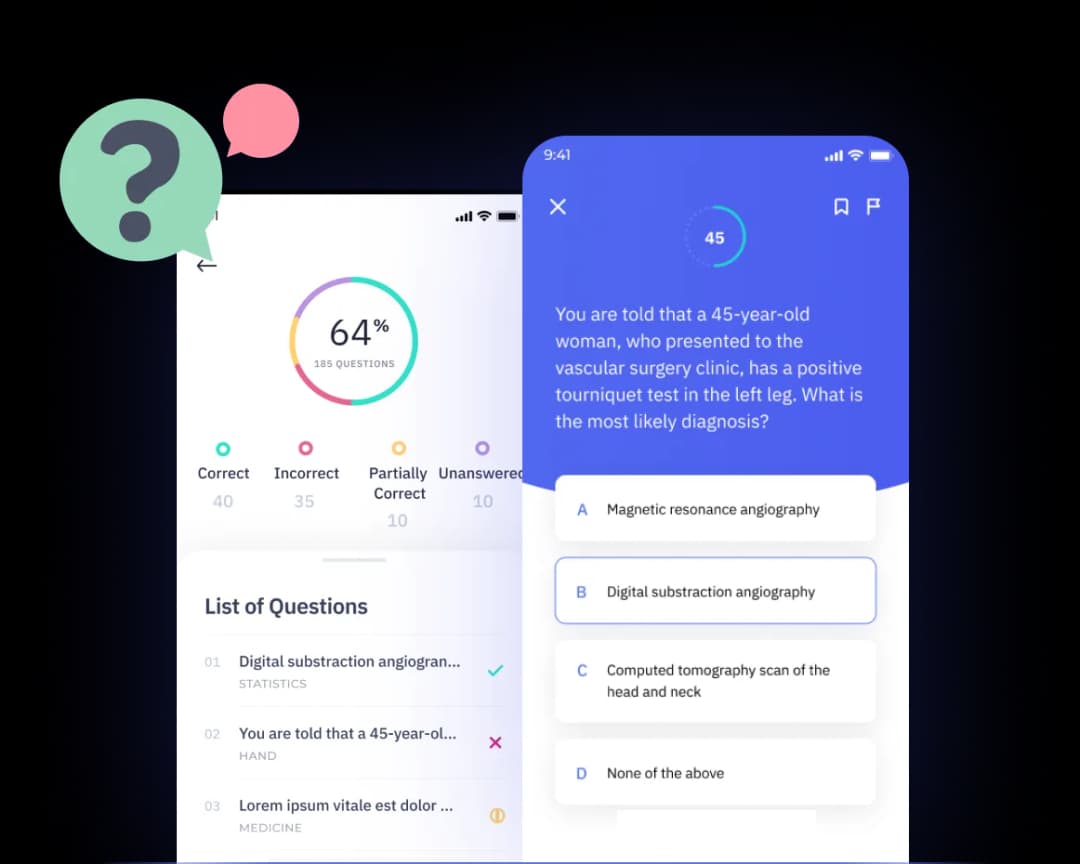
Boom Cards are unique digital cards that turn traditional learning into an interactive experience. Each card can feature different types of activities, such as flashcards, games, or quizzes, tailored to students' needs. They allow for personalized learning, ensuring that each student can progress at their own pace.
Teachers can assign Boom Cards easily and track students' progress through instant feedback. This real-time data helps educators see where students excel and where they might need extra support, making teaching more effective (Source: What is Boom Learning?).
Students enjoy using Boom Cards and often request them by name, showing their eagerness to learn in this engaging format.
In summary, Boom Learning transforms traditional education by making learning interactive, personalized, and enjoyable for students.
The Role of Boom Cards in Student Engagement
Boom Cards significantly enhance student engagement through their interactive features. Here are some key points about their impact on learning.
- Interactive tasks keep students interested. Boom Cards let students interact with content like a game, making learning enjoyable (Source: Boom Cards by Boom Learning...).
- Instant feedback boosts understanding. As students use Boom Cards, they receive immediate responses, helping them grasp concepts faster (Source: Tech & Learning).
- Versatile activities enhance participation. Teachers use Boom Cards for various tasks, such as quizzes, practice tests, and skill-building games.
- 135% increase in student desire for more. Kids love using Boom Cards so much that they often ask for additional activities (Source: Boom Cards).
- Self-checking features guide learning. Boom Cards allow students to assess their own understanding, encouraging independence (Source: A Fresh Breath on Teaching).
Activities and Engagement

Teachers create activities using Boom Cards for reading comprehension, math skills, and even science experiments. For example, a math teacher might design a game where students solve equations to unlock levels.
This interactive approach gets kids excited about learning, helping to reinforce previously taught information. Moreover, they are paperless, which means no more cluttered desks or stacks of paper.
Catering to Diverse Learning Styles
Boom Cards accommodate different learning preferences. Visual learners enjoy colorful graphics, while auditory learners benefit from voice feedback. Kinesthetic learners engage actively by dragging and dropping items on the screen. With so many options, all students can find ways to connect with the material.
In essence, Boom Cards transform learning into an engaging experience for students. The interactive nature of boom learning helps boost understanding, making time spent on tasks more valuable and enjoyable.
Creating Your Account and Getting Started
Many educators feel overwhelmed when setting up new online platforms. Starting something new can be tricky, especially if you're unsure where to begin. Boom Learning is a powerful tool that offers interactive lessons and assessments through Boom Cards. However, getting started correctly is essential to maximize its benefits.
To create your Boom Learning account, follow these simple steps:
- Visit the Boom Learning website and click on "Sign Up."
- Choose whether you want to create a personal account or join as part of a school.
- Fill in your email address and create a password.
- Verify your email by clicking the link sent to your inbox.
- Log in to your new account.
After logging in, take a moment to explore the dashboard. It’s user-friendly and intuitive. You can easily find your Boom Cards, manage classes, and view reports of student progress.
One valuable tip for educators is to take advantage of the available support resources. Boom Learning offers guides that help you navigate the platform and understand features like classroom setup. For instance, you can create a "Sign in with Boom" classroom to simplify student access (Source: Creating a "Sign in with Boom" Classroom and Adding Students).
When setting up your classroom, make sure to add students. You can do this by sending a link, or by adding them manually. Encourage them to log in with Google or via the Boom Learning login page. This flexibility helps streamline the process for everyone involved.
With your account set up, you can start planning your lessons! Boom Learning gives you the tools to create engaging Boom Cards that cater to your students' needs. This interactive learning format keeps students motivated and supports their learning journey.
Remember, getting started with Boom Learning can enhance your teaching and make learning more enjoyable for your students. Take full advantage of the platform and see the difference it brings!
Tailoring Lessons for Special Education with Boom Learning
TL;DR: Boom Learning is a powerful tool for special education teachers. It helps track IEP goals and customize lessons for individual students.
Boom Learning offers unique features that support special education. One standout is the Boom Passport. This feature allows teachers to track student progress toward Individualized Education Program (IEP) goals. With this tool, educators can easily monitor each student's achievements and adjust lessons as needed. They can see how students interact with boom cards and identify areas where they may need extra help.
Creating customized lessons with Boom Learning is also easy. Teachers can use Boom Cards to build activities tailored to each student’s needs. For example, if a lesson isn't working for a particular learner, educators can modify the content. This flexibility makes it simpler to engage students effectively. The platform allows the use of personal images, videos, or sounds, further enhancing the learning experience. Customizing cards helps students relate better to the material, making learning fun and relevant.
Collaboration is key in special education. Boom Learning encourages teamwork between general education teachers and special education professionals. By working together, they can design lessons that meet diverse needs. For instance, one teacher might create a lesson while another offers insights on accommodating specific disabilities. This partnership is beneficial for developing effective and inclusive strategies for all learners.
In summary, Boom Learning empowers educators working with IEP students. Customization, tracking, and collaboration enhance the learning experience. By leveraging these features, teachers can make lessons more engaging and effective. This platform truly supports students on their individual learning journeys.
How to Sell Boom Cards: A Guide for Educators
Selling Boom Cards can be a rewarding venture for educators looking to monetize their creativity. Here’s how you can turn your engaging educational cards into profit.
What Makes Boom Cards Sellable?
To create cards that attract buyers, focus on engagement. Use vibrant designs, interactive elements, and clear instructions. Include fun visuals and relatable themes for students. For example, a math deck that uses real-world scenarios, like shopping or sports, can captivate younger learners. Cards that connect with students' interests often sell better.
How Should You Price Your Cards?
Understanding the pricing models is crucial. Boom Learning allows you to set your prices based on the value you believe your cards offer. Many successful authors price their cards between $1 and $5. Consider offering bundle deals to encourage larger purchases. For example, a school may buy ten cards at $3 each, totaling $30 instead of single sales. This approach can lead to increased earnings while providing value.
How to Market Your Boom Cards
Marketing is essential to your success. Start by utilizing social media platforms like Twitter and Instagram to showcase your cards. Sharing success stories or testimonials from teachers can help build trust. You can also join educator forums and share links to your Boom Cards.
Another strategy is collaborating with other educators. You can create workshops or webinars demonstrating how to use your cards in the classroom. This not only boosts visibility but also establishes you as an authority in your niche.
Remember: Engaging Boom Cards paired with smart pricing and effective marketing can lead to significant earning potential.
By embracing these steps, you can turn your passion for education into a profitable side hustle.
Here’s a quick checklist to help educators effectively sell Boom Cards.
Why Choose Boom Learning Over Other Platforms?
Boom Learning is a unique educational platform that sets itself apart from other options in the market. Unlike traditional platforms, Boom Learning offers interactive tools like Boom Cards, which are engaging and adaptive. This feature allows educators to create personalized learning experiences tailored to each student's needs.
Unique Features
One of the standout features of Boom Learning is its self-grading Boom Cards. These cards provide instant feedback and allow for personalized assignments. Traditional platforms often lack this level of interactivity, leaving students waiting for evaluations. With Boom Learning, the learning process becomes more fluid and responsive. Educators can easily track student progress and adjust lessons based on real-time data (Source: Boom Cards by Boom Learning).
Community Benefits
Another advantage of using Boom Learning is its strong community support for educators. Users can share their custom cards and access countless resources created by peers. This collaboration fosters a more dynamic classroom environment. Educators can learn from each other and enhance their teaching strategies, making their lessons even more effective.
AI-Enhanced Learning
Boom Learning also leverages AI technology to improve the overall learning experience. The AI capabilities enable the platform to recommend tailored content based on student performance. This helps educators meet diverse learning needs efficiently. With tools that analyze learning gaps and performance trends, teachers can offer targeted support, elevating student success rates (Liability for Artificial Intelligence).
In a world of educational technology, Boom Learning stands out as a robust platform that effectively engages students and provides valuable resources for educators.
“Choosing Boom Learning means embracing a platform that not only supports teaching but also transforms the learning experience.”
Frequently Asked Questions
What types of lessons can I create with Boom Learning?
With Boom Learning, you can create a wide range of lessons. You can design activities for reading, math, science, and other subjects. This flexibility allows you to use various formats like quizzes, interactive games, and assessments. The platform also supports customizing card decks based on specific learning objectives. This feature makes it easy to adapt lessons for different learning environments, whether for individual students or an entire class.
How do I track student progress using Boom Cards?
Tracking student progress with Boom Cards is straightforward. The platform provides detailed reports showing each student’s performance. You can view data like how many cards were completed, accuracy rates, and time spent on activities. This information helps identify students' strengths and areas where they need more support. You can also share these insights with parents or other educators to enhance overall learning strategies.
Can Boom Learning be integrated with other educational tools?
Yes, Boom Learning can easily integrate with other educational tools. For instance, you can connect it with Google Classroom to streamline lesson assignments and manage student data. This integration allows for smoother communication between platforms. You can also export data to Learning Management Systems (LMS), making it easier to keep track of student achievements across multiple tools.
What is the pricing structure for educators?
Boom Learning offers a flexible pricing structure. Educators can start with a free account, which includes limited access to features and cards. For more advanced tools and a wider card library, there are paid plans available. The costs reflect the additional features you gain, such as full access to student data and customization options. Check the Boom Learning website for the latest pricing details.
How do I access Boom Passport and what are its benefits?
To access Boom Passport, simply create or log in to your Boom Learning account and navigate to the Passport feature. Boom Passport allows you to track student progress across different cards and lessons. Its benefits include easy access to your students' skill levels and a personalized learning path for each student. This feature enhances the learning experience by customizing it according to individual needs.
In summary, Boom Learning offers versatile lesson creation tools, efficient tracking for student progress, and valuable integrations with other educational systems.